Table Preflight — Offline RollTable Check
A downloadable tool
Inspect your tables before they reach your world.
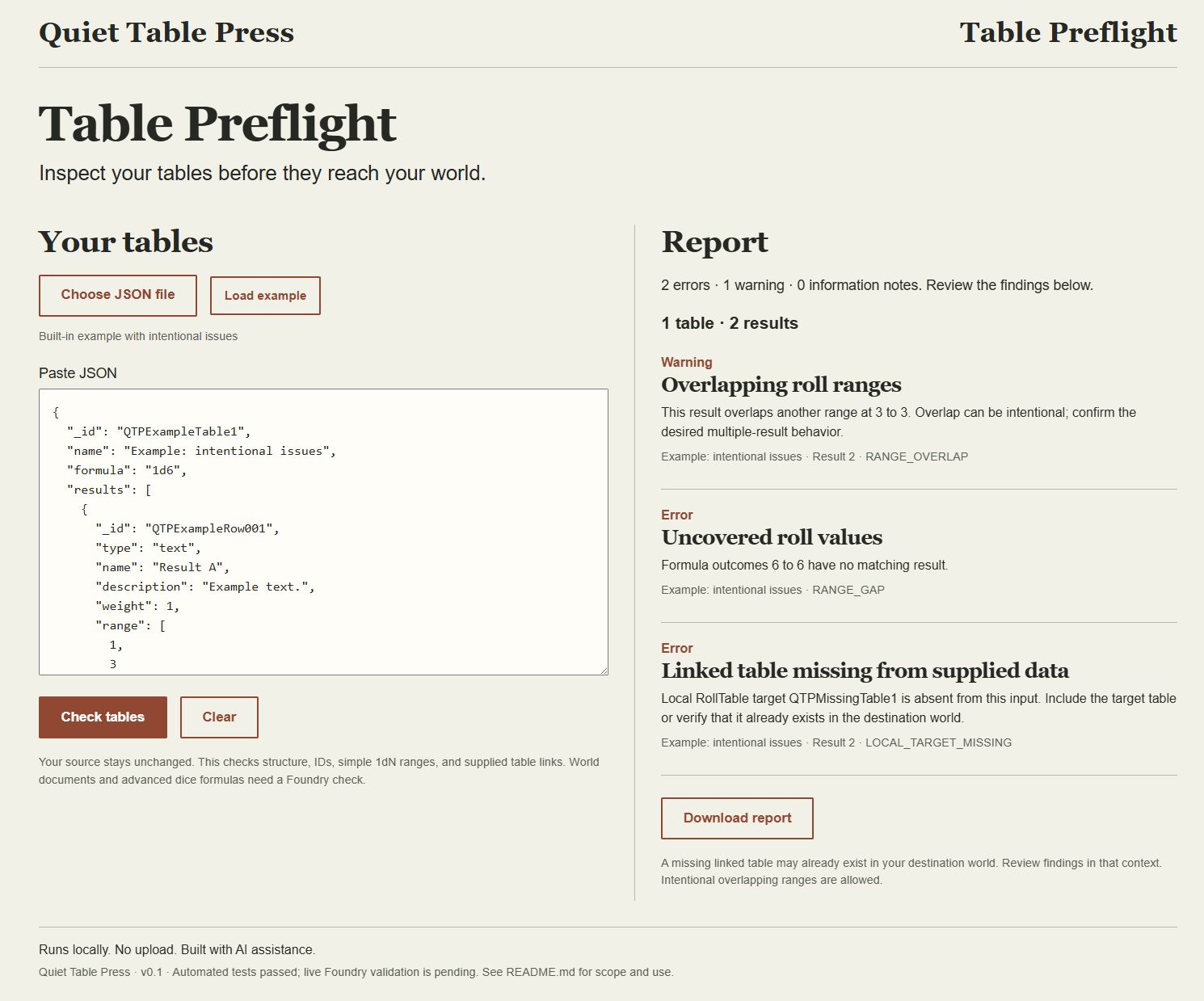
Table Preflight is a small offline browser utility for checking selected fields in Foundry RollTable JSON. Open the included index.html, paste your JSON, and select Check tables. The built-in example demonstrates common findings.
Evaluation prototype · v0.1
• Find malformed or duplicate table and result IDs.
• Check positive integer weights and range endpoints, including signed ranges.
• Find gaps in simple 1dN outcomes and overlaps to review.
• Check links between supplied RollTables, missing bundle roots, and circular links.
The app accepts one RollTable, an array of tables, or a supported linked bundle, up to 2 MB. It runs locally, makes no network requests, and leaves your source unchanged. Your input stays in the browser. The download includes the application, readable JavaScript source, and its scope guide.
Scope and current testing
Selected checks target Foundry v13/v14 exports. A clean report covers only those checks. Advanced dice formulas, compendium links, other world documents, and complete Foundry schema validation need review in Foundry. Overlaps can be intentional; a table absent from your file may already exist in your world.
Automated tests cover the validation core and selected application events. An isolated Foundry v14 field-validation probe checked representative field behavior. Browser testing over localhost verified JSON file selection, analysis of a 7-table/78-result bundle, and arrival of the matching report in Downloads. Direct offline file opening in an ordinary desktop browser and full Foundry import/play testing remain pending.
Development, documentation, and checks used AI assistance. The app checks your supplied content with ordinary local code and uses no runtime AI. This is an independent tool with no affiliation with Foundry Virtual Tabletop.
Feedback is welcome in the comments: which finding helped, which finding was misleading, and your Foundry/browser versions. Use a small non-private example when reporting an issue.
Download
Install instructions
Extract the ZIP and keep all included files together. Open index.html in a current desktop browser. Choose a JSON file or paste your RollTable JSON, then select Check tables. Load example demonstrates common findings; Download report saves your diagnostic results. Read README.md for the supported checks and testing limits. Browser file selection and report download were verified over localhost; direct offline opening and live Foundry import/play remain pending.
Leave a comment
Log in with itch.io to leave a comment.